New chatter
Watch how they open conversations and send PPV in the first shifts, and fix things before they turn into habits.
Leeward shows an agency what its chatters are doing while the shift is still running: who is on shift, who is online, who keeps fans waiting, how many PPV went out and how many were bought. One desktop app for macOS and Windows, for OnlyFans and Fansly.
In most agencies the picture of a shift arrives the next day: a screenshot of earnings, a message in the group chat, a spreadsheet someone fills in by hand. By then a slow shift is already lost money, and nobody remembers which fans were left waiting. Tracking only helps if you see it while the shift is still on, and if the numbers come from the work itself, not from what the chatter reports.
That’s how Leeward is set up. Chatters work in Leeward Chat, and the same app counts what happens there: who is working, who is waiting, what was sent and what was bought.
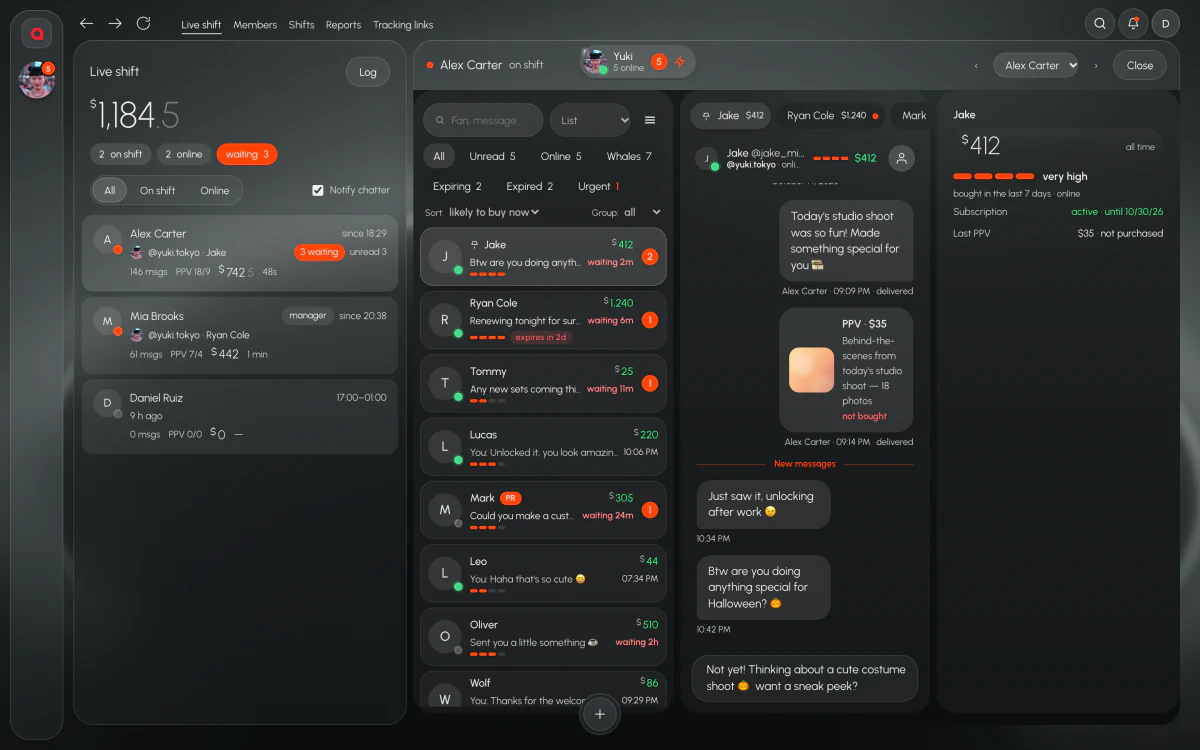
The Team screen shows every chatter in one list: who is on shift, who is online and who has fans waiting for a reply. You see it without asking anyone and without opening each model’s account.
“Waiting” is the one to watch. A chatter can be online and on shift and still have fans sitting without an answer. On the Team screen that shows up right away, not after the fan has gone quiet.
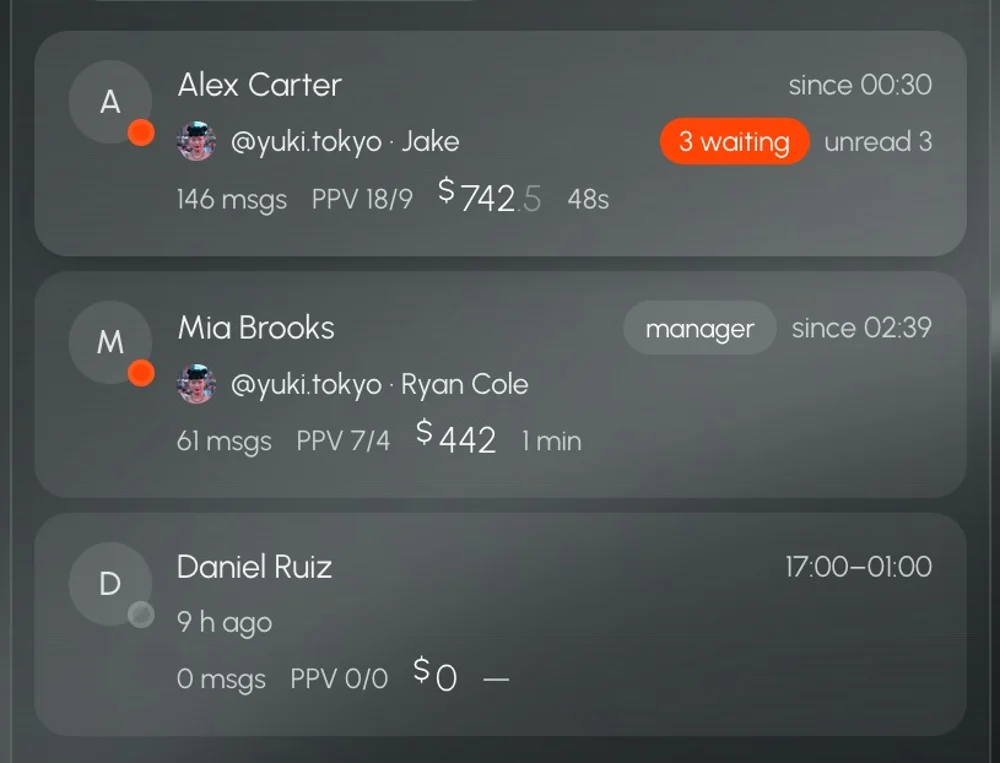
Any chatter can be opened in live view. You see their work as it happens, not a summary at the end of the shift. It’s how you check a new chatter in their first week, or find out why a usually strong chatter is slow tonight, without asking them for screenshots.
Watch how they open conversations and send PPV in the first shifts, and fix things before they turn into habits.
When the numbers look off, open the chatter and see what is actually happening in their chats.
When a chatter has fans waiting, open them and see what is holding the replies before you message them.
If a chatter has fans waiting or has gone quiet, notify them from the same screen. No hunting for them in Telegram, no calls in the middle of the night.
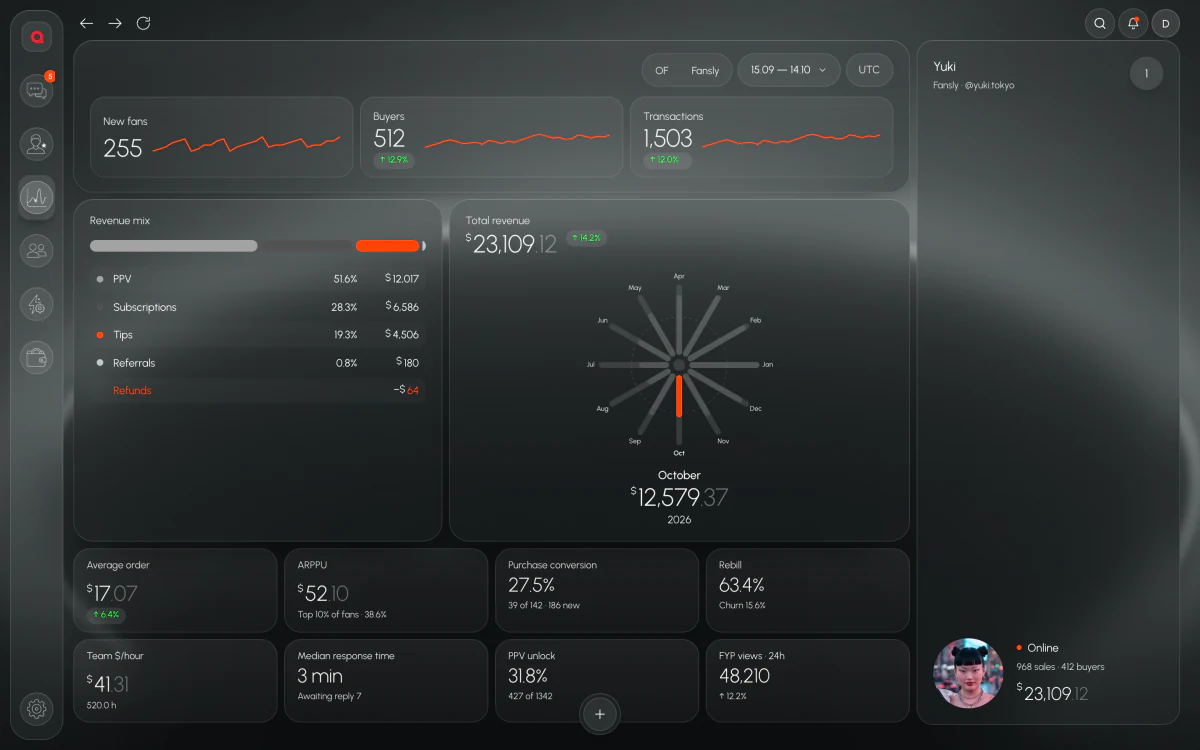
Messages sent says little about money. Leeward counts PPV sent and PPV bought for every chatter and for every shift. A chatter who sends a lot and sells little stands out, and so does a quiet chatter who closes most of what they send.
PPV sent and bought for each person, so you see who sells and who just sends.
The same numbers for each shift, so a weak night shift shows up as a number, not a feeling.
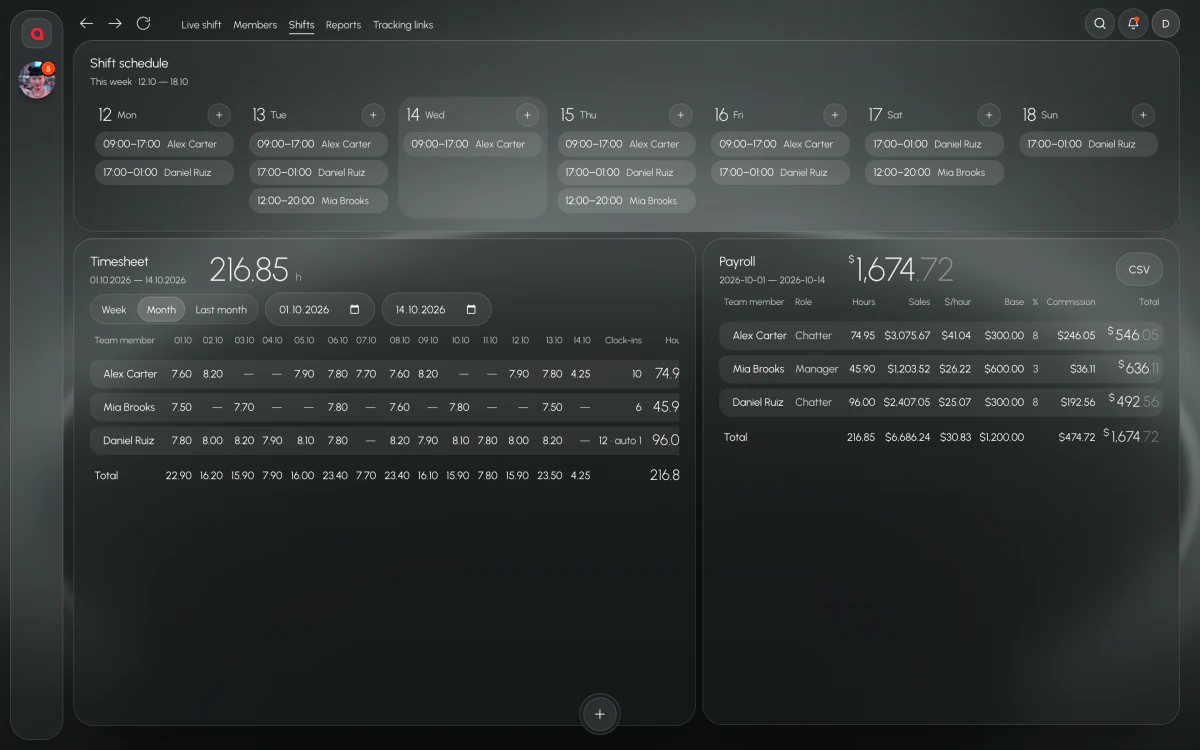
Sales counted here go into payroll, so the numbers you track and the numbers you pay from are the same numbers.
Sent vs bought is also the fairest way to talk to a chatter about results. You don’t argue about how hard they worked; you look at what went out and what was bought, shift by shift.
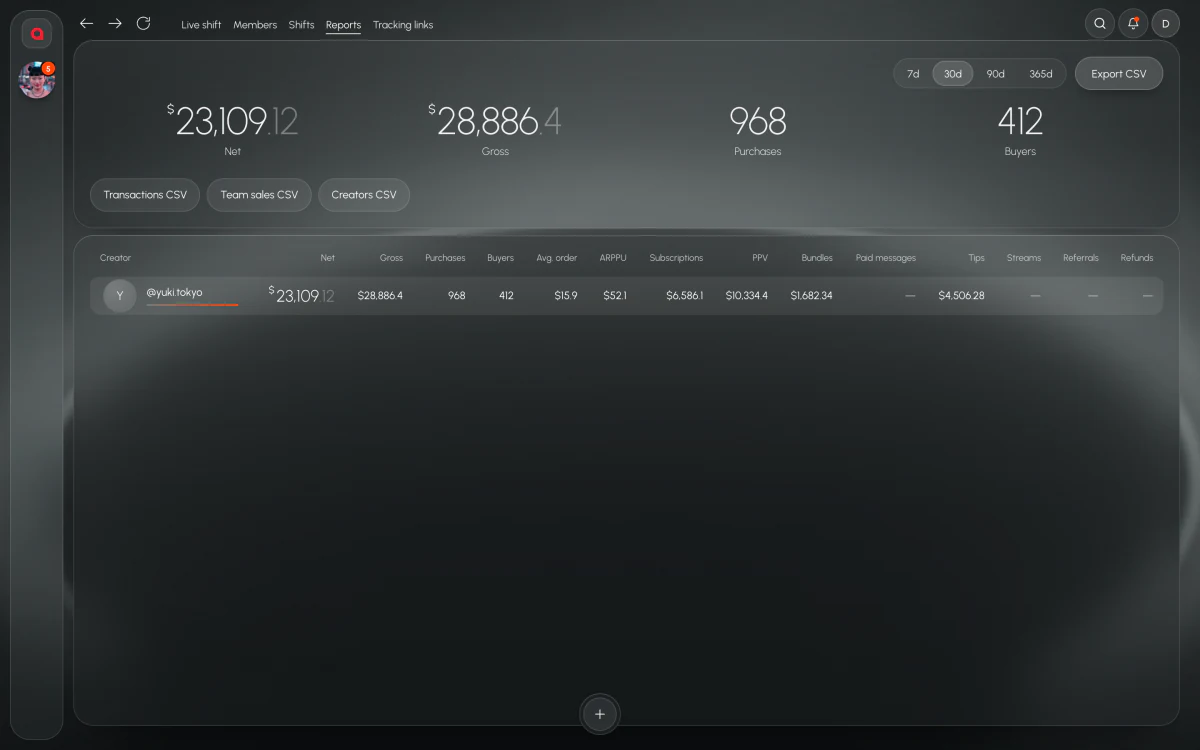
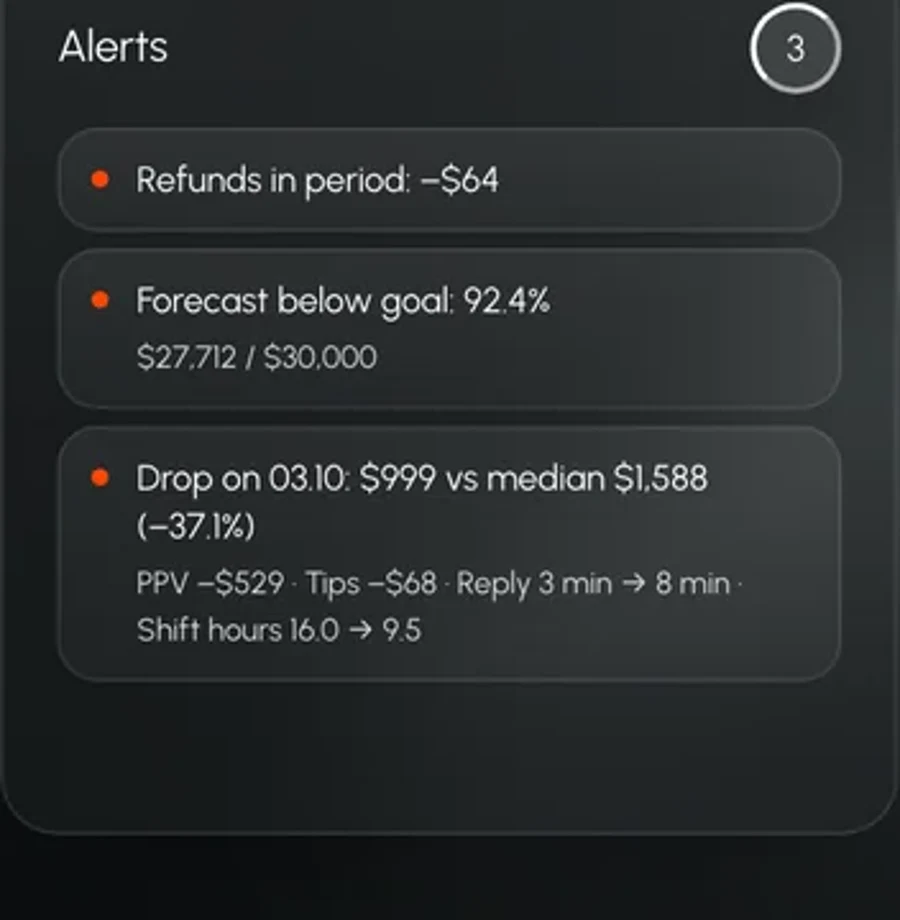
When revenue drops, Analytics shows why: fewer PPV buys, slower replies, shorter shifts. Put that next to the per-shift numbers and it’s easier to see where the day went: the chatter, the shift, or the day itself.
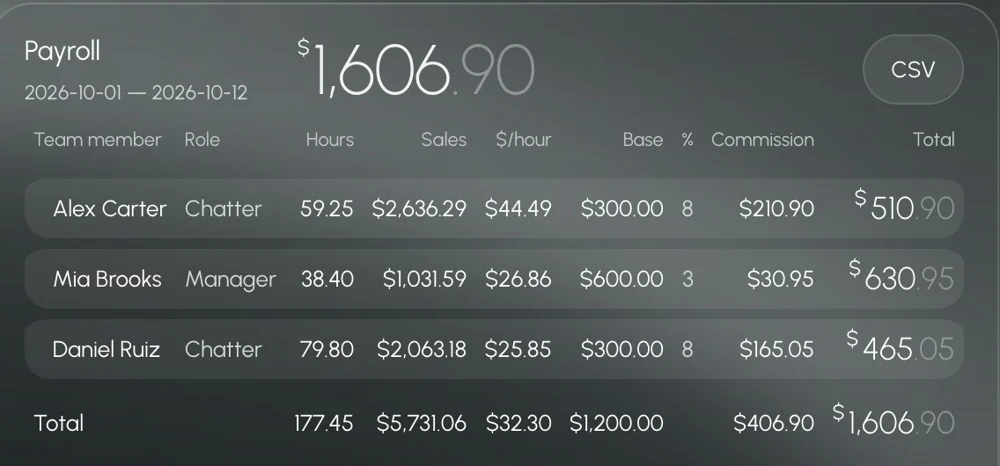
Hours, sales, $/hour and commission for each chatter come from the same numbers you track during the shift. At the end of the period, export payroll to CSV. The chatter who sold more gets paid from the sales Leeward counted, not from a number someone typed in.
Chatters working OnlyFans and Fansly models show up on the same Team screen. Each chatter joins by invite link, sees only the models assigned to them and never sees the model’s password. The model’s session is stored inside Leeward, encrypted, and every model has a dedicated US proxy, included in the price and replaced if it fails.
Leeward is paid per connected model: Base $25, Pro $50, Max $150 a month, with individual terms for 50+ models. The price is fixed per model and doesn’t depend on what the model earns, so tracking a growing team doesn’t make the bill jump. Every model starts with a 7-day trial.
Chats, team, PPV vault, scripts, translator, base metrics, AI administrator
Everything in Base, extended metrics, alerts, analytics that explains itself
Everything in Pro, all metrics, unlimited AI chatter
50+ models, at least 2 accounts per model
Prices per connected model per month. 3 months −8%, 6 months −18%, 1 year −25%. 7-day free trial for every model you connect.
Yes. Open the chatter in live view and you see their work as it happens. The Team screen also shows who is on shift, who is online and who has fans waiting.
Leeward counts PPV sent and PPV bought for each chatter and for each shift, so sales show up under the chatter and the shift they came from.
Yes. PPV sent and bought are counted per shift, so you can look at one shift against another. When a whole day drops, Analytics shows why.
Yes. Chatters on OnlyFans and Fansly models are tracked in the same app, on the same Team screen.
7-day free trial for every model you connect.