
Team chat instead of Telegram and Discord: how to move your agency to a work chat
A team lead writes to the shift in Telegram, while the chatter sits in the CRM and only reads the message after switching to the messenger. In Leeward, team chat is built into the same app the shift works in. Here is how it works, how to move into it and what to keep in Telegram.
How a messenger work chat gets in the way of the shift
In Telegram and Discord the work chat sits apart from the app where the chatter answers fans. That leads to losses that later show up in revenue:
- A message to the shift drowns among personal chats, and the chatter sees it late.
- The “fans are waiting” alert arrives in the messenger, while the chatter answers fans in a different app.
- Someone leaves the agency, nobody remembers to remove them from a couple of work groups, and they keep the whole chat history.
- A newcomer doesn’t know which group the shift rules are in and writes to the team lead in DMs.
In a report this looks like a long median reply time and undersold PPV, even though the chatters were on shift.
How team chat works in Leeward
Team chat lives in “Team → Chat”. A chatter has it in the menu next to “Inbox”. If a chatter’s position is “Chat only”, they have no menu at all, only the “Inbox ↔ Team chat” switch. This position is handy for newcomers: they don’t need to find their way around sections, they only have their chats and team chat.
There are three kinds of rooms. In channels the owner and authors post and everyone else reads; announcements for the whole agency go there. Groups are for discussions, including within one shift. Direct messages stay for one-to-one conversations. On first launch the rooms “General”, “Shift” and Alerts appear.
Messages have quote replies, pins, reactions, forwarding, @-mentions, “typing…” and the “Read · N” mark, and channels show the view count. You can edit your own message for 15 minutes. Photos and files up to 20 MB, up to 10 per message. The sound and the unread badge work on any Leeward screen, so a chatter notices a new message without leaving the conversation with a fan.
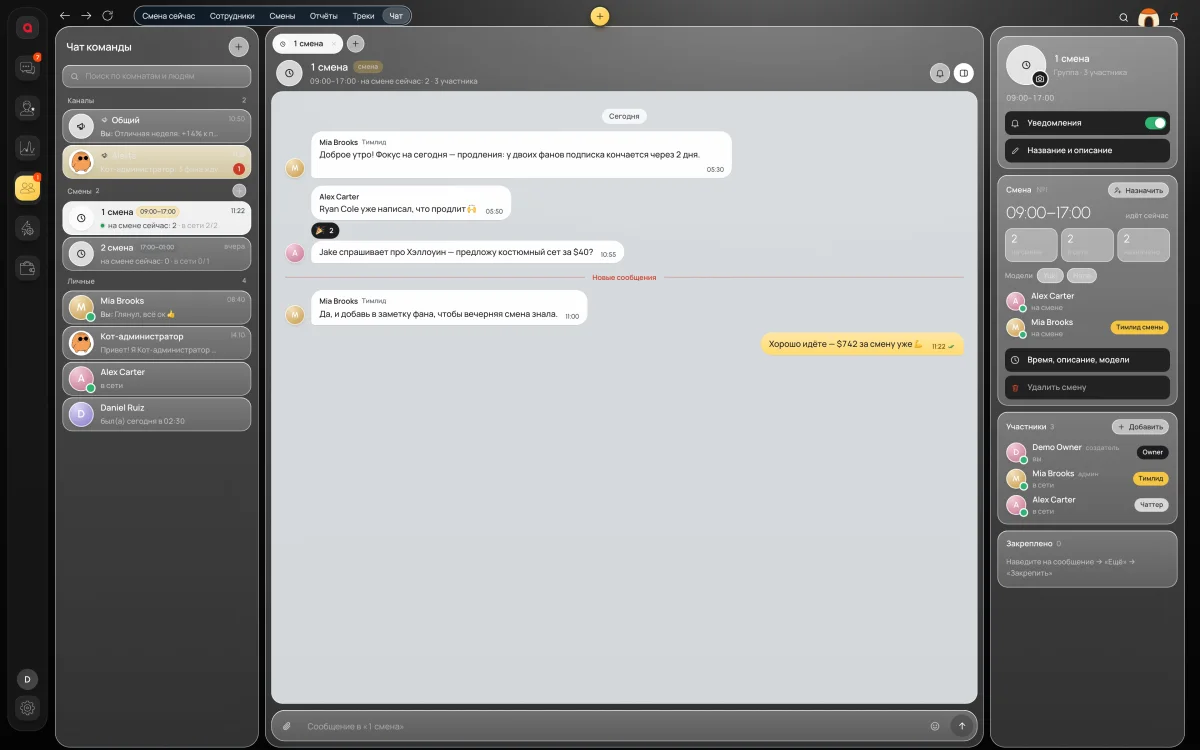
A group for every shift
A shift group has what an ordinary messenger group lacks: hours, models, a team lead and chatters. Right in the group you see how many people are on shift and how many are online right now. A message in the group is seen by the whole shift.
A separate group for each shift is more convenient than one shared group: the night shift doesn’t scroll through the morning’s messages, and each group has its own team lead.
How to work with a shift group:
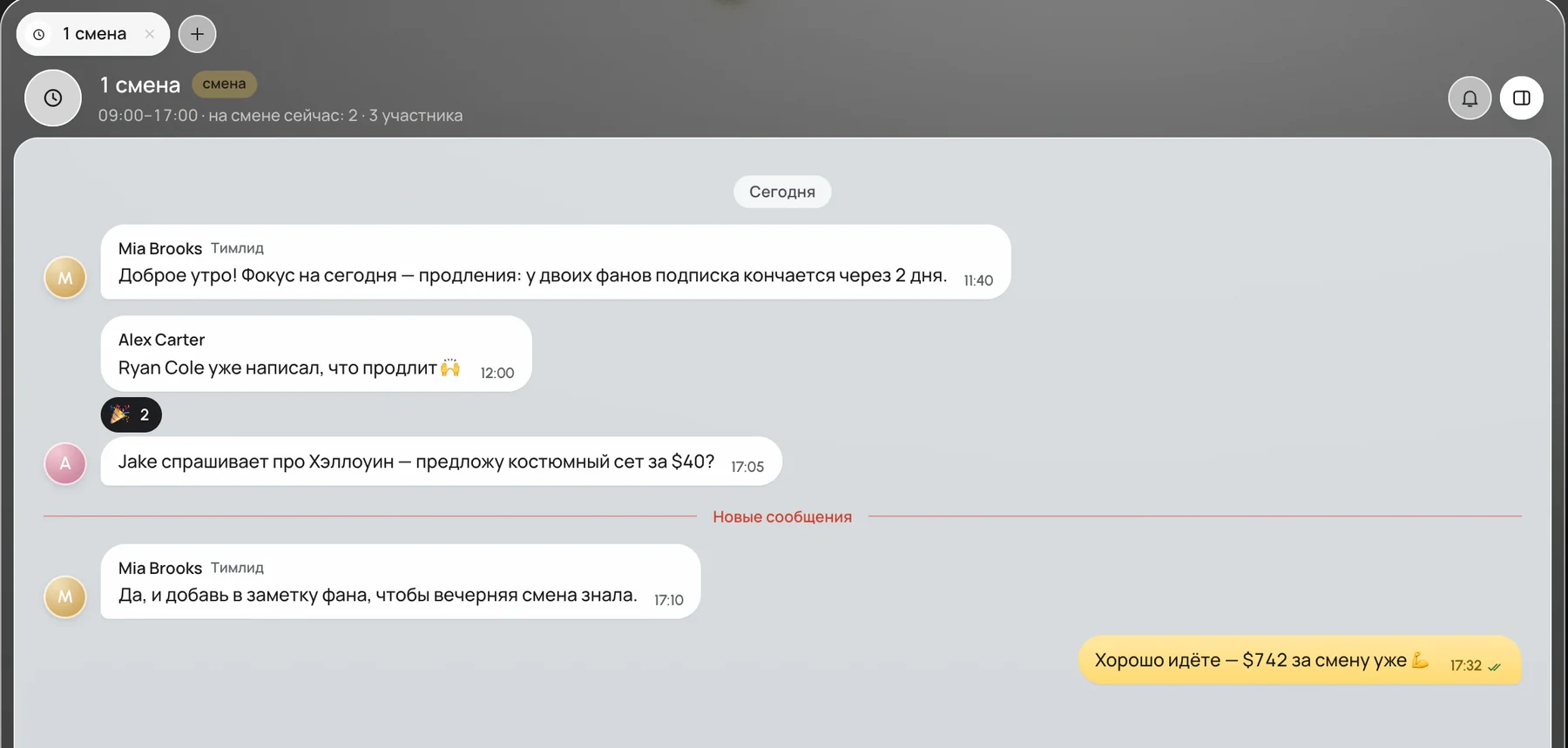
- At the start of the shift the team lead writes what the focus is and pins the message.
- A chatter replies with a quote, so it is clear which fan they mean.
- Everything about a specific fan goes into the team notes in his card. Colleagues see the notes right away, and the next shift will find them right in the conversation with that fan.
- The team lead uses @ to call a specific person when the question can’t wait.
Under a message you see “Read · N”. If N is lower than the number of people on shift, repeat what matters with an @-mention to those who missed it.
Alerts: warnings where the shift works
The Alerts channel posts on its own, and the owner turns it on. It reports that a shift starts in 15 minutes, that fans have been waiting for a reply for more than 30 minutes and that a model has disconnected. The channel reports the problem, and the team lead deals with it in “Shift now”, which shows which chatters have fans waiting and how many.
Agree in advance who reacts to what. “Fans are waiting” is for the shift’s team lead: they look at which chatter has conversations piling up and message that chatter. “Model disconnected” is for a manager: managers have the “Sessions N” button and “Recapture now” at the top. If “fans are waiting” arrives every day at the same hours, put one more chatter on the model for those hours or split its inbox between two. How to find who has fans waiting is covered in how to monitor chatters in real time.
Moving from Telegram, step by step
Before you move, agree on what gets written where. Otherwise, a week later team chat will be the same mess the messenger was.
- “General”. Announcements for the whole agency. The owner and authors post, everyone else reads.
- Shift group. Everything about this shift and its models.
- Direct messages. A team lead’s conversation with one chatter: going over mistakes, a newcomer’s questions.
- Alerts. Only the warnings Leeward posts by itself.
- Team notes in the fan card. Everything about a specific fan.
Then the move goes step by step:
- Open team chat for the first time. The “General”, “Shift” and Alerts rooms appear on their own.
- Create shift groups: hours, models, team lead, chatters.
- Turn on Alerts.
- Pin in team chat what is pinned in Telegram now: the shift rules and the shift handover routine.
- Move your reply templates for fans into scripts in “Inbox”. A chatter calls a script up with “/” and doesn’t have to look for it in the chat feed.
- Set a day after which work questions are asked only in team chat, and close the work groups in Telegram.
Passwords and tokens can’t be sent in team chat, so sharing logins out of old habit won’t work here.
What to keep in Telegram
Telegram stays for the owner’s personal notifications. The agency connects its own bot, and your DMs get leak filter violations, sales, “creator session lost”, the daily report, and also a new team member, a new device and payment reminders. Thresholds for purchases and tips can be set so the bot doesn’t write about every small sale.
That gives a simple split. Money, access and everything that concerns only the owner comes to Telegram from the bot. What the shift needs to see is posted by the Alerts channel in team chat, and the team talks in groups and direct messages.
There is nothing extra to pay for team chat or for team members: Leeward is paid per model, and the team is free. Leeward runs OnlyFans and Fansly models in one app for macOS and Windows; for the price, see pricing.
Frequently asked questions
How much does team chat cost?
Nothing extra. Team chat is part of Leeward; you pay for connected models, and the team is free.
Can a chatter post in the “General” channel?
In channels the owner and authors post, and everyone else reads. For questions and discussions there are groups, shift groups and direct messages.
What happens to the chat when someone leaves?
The owner clicks “Close access”, and it takes effect at once and everywhere: the person is thrown back to the sign-in screen, their computers are unlinked and their invites are revoked. They can no longer sign in to Leeward, and so not to team chat either. If the person comes back, “Restore” opens access again without a new invite.
Every model you connect starts with a 7-day free trial. Download Leeward, create a group for your next shift and run it without a work chat in Telegram.